Thanksgiving Slack Emojis 🦃🍂🍁
Slack's built-in Thanksgiving emojis are :turkey: 🦃, :fallen_leaf: 🍂, :maple_leaf: 🍁, :pie: 🥧, :corn: 🌽, :sweet_potato: 🍠, :poultry_leg: 🍗 and :pray: 🙏 for thanks. For the week itself, set an out-of-office status and start a gratitude thread — and grab the free :gobble: and :grateful: custom emoji below.
Thanksgiving emoji codes for Slack
Built into every Slack workspace. Click a code to copy it, then paste it in a message or send +:code: to react.
Free custom Thanksgiving emojis for Slack
Download and upload via Customize workspace → Add Emoji. More in the full custom emoji pack.
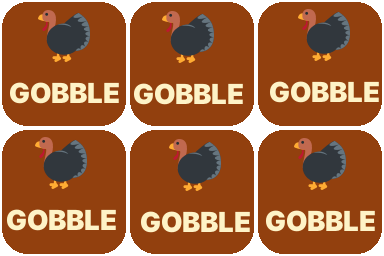
:gobble:Thanksgiving week energy.
Download GIF
:grateful:Gratitude threads and thank-you posts.
Download PNG
:food-coma:The day after the feast.
Download PNG
Thanksgiving Slack status ideas
Search the code in the status emoji picker, then paste the text.
Thanksgiving Slack messages to copy
Channel announcements and posts — click to copy with the emojis.
Frequently asked questions
What is the turkey emoji code in Slack?
Type :turkey: to get 🦃. Related codes are :poultry_leg: 🍗, :pie: 🥧, :fallen_leaf: 🍂 and :maple_leaf: 🍁.
How do I set a Thanksgiving out-of-office status in Slack?
Click your profile picture → Update your status, pick 🦃 (search “turkey”), type something like “OOO for Thanksgiving — back Monday” and set “Clear after” to the day you return. You can also pause notifications for the same period.
What's a good Thanksgiving gratitude post for Slack?
Ask one open question (“What are you grateful for this year?”) and ask for replies in the thread, so the channel stays readable. Kick it off with your own answer and react to every reply with :pray: or a custom :grateful: emoji.
Want every Thanksgiving emoji, not just the Slack favourites? See the full Thanksgiving emoji collection.