Slack Status Ideas: Emojis & Messages
A good Slack status is one emoji people recognise at 16 pixels plus a few words that say when you'll reply. Below are 42+ ready-made statuses with the emoji code to search for in the status picker and a matching “Clear after” time. Click one to copy it.
Seasonal statuses for the weeks ahead
Holiday out-of-office and themed statuses for what's coming up.
Availability & focus statuses
Tell people whether to expect a quick reply.
Location statuses
Where you're working from today.
Time off statuses
Pair these with paused notifications and a return date.
Working hours & time zones statuses
Save teammates in other time zones a guess.
Funny statuses statuses
For workspaces that like a bit of personality.
Custom status emojis
Text badges stay readable where an icon gets ambiguous. Upload them once and pick them in the status picker. More in the free custom Slack emoji pack.

:ooo:Out of office.
Download PNG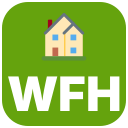
:wfh:Working from home today.
Download PNG
:brb:Be right back.
Download PNG
:afk:Away from keyboard.
Download PNG
:pto:Paid time off.
Download PNG
:focus:Heads-down time. Reply later.
Download PNG
:lunch:At lunch.
Download PNG
Frequently asked questions
How do I set a status in Slack?
On desktop, click your profile picture → Update your status. Pick an emoji, type your status, choose when it should clear and click Save. On mobile, open the You tab and tap Update your status.
Can I use a custom emoji as my Slack status?
Yes. Any custom emoji in your workspace shows up in the status emoji picker — search for it by name. Upload one from the free pack (e.g. :ooo: or :focus:) and it's available to everyone.
How long can a Slack status be?
Status text can be up to 100 characters. Shorter is better: only the emoji shows next to your name in channels, and the text appears when someone hovers over it or opens your profile.
Can Slack set my status automatically?
Yes. The Google Calendar and Outlook Calendar apps for Slack can switch your status to “In a meeting” for the length of each calendar event, then clear it.
What's the difference between a status and being away?
Your availability (the green dot) is set automatically or by “Set yourself as away”. A status is the emoji and text you choose. Pausing notifications adds a separate “zZ” icon and silences alerts.